or other tags so they would start shining, blinking, or do some other fun stuff. Such frameworks don’t promote component-based development. They may not include navigation components, grids, trees, which are pretty typical for any UI of the corporate tasks or back office as Anatole called them.
b) The frameworks that are similar to Flex in that they offer high-level components, which may be based on
tags, and even allow you to dig deep inside such components whenever you need to know the internals of Flash Player while coding in Flex. But overall, such components are meant to solve different problems – highlighting and CSS are less important here. Mainly these components process some events, offer support of the Model-View-Controller and so on.
After further analysis I’ve learned that the framework Ext JS by Sencha is close to what Flex offers, but without compilation, data binding, and with less control.
I often use an example of a cat running over the keyboard of my laptop while a JavaScript file was opened in a text editor. Even if I didn’t notice this, I could successfully check in this file into a code repository, but it may not work afterward. Un-compiled environment is a dangerous place to be.
Y. Would your example work the same way for developers who have dogs?
V. Yes, but the number of errors will increase.
Y. Currently, the legions of developers are moving in the direction of JQuery framework. But we are moving perpendicularly. As you stated earlier, JQuery is good for improving an existing JavaScript site. With Ext JS you start with designing your application’s UI as close as possible to object-oriented principles. Ext JS has rich set of UI components, loader, offers an event model – it’s a different and better approach, right Anatole?
A. Today I lead projects that use both frameworks. JQuery is a light framework (code wise) and it can be used to program about 80% of a Web site. You should use it for the look and feel support, which is what it’s meant for. But you can’t use it for building your application component model. The component model of Ext JS is applicable in about 20% of a Web site, which includes an application piece rather than just being a set of Web pages. Typically it’s a serious view navigator or a wizard to implement a serious business process or a workflow that includes a client’s part.
Y. Data grid, of course…
A. Yes, high-level components and a workflow because often the user needs to perform several steps to complete a business process. And these 20% of an application will require 80% of the project time of complex development. So you won’t need to choose between these two frameworks. My main problem with AJAX projects is not how to pick THE best framework for development, but finding the right software developers. It’s hard to find people who don’t have cats around and can concentrate.
V. Absolutely, an extreme concentration and attention is a must.
Y. Or you can use one more framework that will take care of testing.
V. Absolutely everything must be thoroughly tested over and over again. Refactoring in JavaScript is a nightmare.
A. A software developer has to remember everything – all unfinished pieces of code. Many things that we take for granted in a compiled language are simply not supported in JavaScript.
It’s worth mentioning another type of frameworks that use Java for development with further generation of JavaScript, which is a controversial idea, because after writing the code you’ll need to debug it. This is when you’ll meet JavaScript, which is a foreign language for you.
Y. I guess, you mean GWT. There is one more reason of why this is a stillborn idea. The ideology and psychology of programming in JavaScript and Java are different. Five years ago I’ve written an article demonstrating how Cobol, Java, and Lisp programmers solve the same task differently. I guess, it’s time to add a JavaScript version to this example.
A. A person who writes in Java/GWT has to know how to read and interpret the JavaScript code in the debugger. Besides, GWT hides a large portion of JavaScript functionality.
Y. Plus Java doesn’t support dynamic programming…
A. Not too many people use dynamic programming, but it would be nice to change the language. Twenty years ago there were mixed languages that would allow using the dot notation to request some code fragments to call dynamically and some statically. We had a choice to either compile an operator or interpret it during the runtime. It was up to the developer. I won’t have peace of mind until JavaScript will support this.
V. Anatole, how many years should pass till people will accept the notion of compiled language running inside the browser (JavaScript, ActionScript, et al) along with an interpreted language?
A. These questions were raised many years ago – remember the languages like curl? These languages were in R&D…
V. But they never became standardized for the use in Web browsers.
A. Exactly! Apple didn’t let Flash Player in their popular devices, and this became a huge obstacle for the evolution of Flex. The same thing may happen if some vendor decides to not allow any other language or environment in their devices killing these new ideas. For example, Google came up with a new language called Dart, but Microsoft says, “No, we’ll be improving JavaScript.”
Y. JavaScript frameworks promise to hide from you all incompatibilities and take care of the cases when a vendor won’t let some features in their environment.
A. I don’t think anyone will be able to translate the world literature into the language of the tribe Tumba-Yumba with very limited expressiveness. There are reasons why some languages are better then other for different tasks or application sizes. JavaScript is a very basic language.
V. But if you take Ext JS, their documentation suggests to use ext.create instead of the operator new. Technically they are extending or replacing the constructs of the JavaScript itself extending the alphabet. Any framework architect who wants to create a controlled environment will run into a JavaScript wall.
A. Partially this is correct. If you want to create a real dynamic or static language with the error checking and runtime compilation, you’ll have to substitute their constructors with the strongly-type ones that can throw exceptions.
C++ supports operator overloading and people used this feature for some time. But it didn’t last long – they realized that it’s hard to read and understand their own code. If a language allows you to write a code fragment that’s hard to understand – it’s better to remove this code.
V. I’d like to add to the subject of comparison of the JavaScript and ActionScript… I feel uncomfortable thinking that someone else will read, support, and refactor my JavaScript code. Actually, I’m not comfortable refactoring my own JavaScript code a couple of months later. In a non-compiled environment it’s tough. I don’t remember what’s the type of the parameter that’s given to the particular function.
In the compiled environment I’d always known each type and if an object still had certain properties or they were removed. But there is nothing like this in interpreted environment.
A. You can research the code, open each base class and check the references and find out what the properties are – the language will help you with this. I liked dynamic languages when I was 26 years old. A development manager will also have to hire young and very enthusiastic but inexperienced developers.
V. Today’s labor market consists of such people – inexpensive, enthusiastic, and inexperienced.
A. On AJAX projects such a developer will spend the first two months studying, on the third month he’ll start working, and in six months he quits for a simple reason – development is hard and the project arrived to a dead end. When the code base of such project reaches critical mass, the development process gets stuck.
V. The developer will quit not necessarily because the project got stuck. This developer will get more rewarding offers on the job market.
A. In other words, the project stops in 5-6 months – it becomes unmanageable because of its size. That’s why I’d like to stress that there is big difference between AJAX projects and those that are being developed in a compiled environment like ActionScript.
Y. I’d like to return to the question of JavaScript frameworks and browser compatibility. I like the analogy with TV sets. Even if I have the latest and greatest 3D LCD HD TV set and you have a 30-year old black and white television, we both can watch the same movie even though the quality of the picture will be different. In modern terms, you can say “The user experience will be different.”
Now let’s talk about the browsers. You use the latest Google Chrome, but I’m a corporate user who must use IE 6. Is it possible to ensure that the same JavaScript application works in both browsers?
V. The core part of frameworks try to address browser compatibility. They try to ensure that the page works as good as possible in every browser within its limit. But the script will work.
A. I don’t agree. In my opinion you can achieve browser compatibility not on the framework level, but by testing and adjustment of your application in different browsers. The statement that it’ll work somehow is an exaggeration. The chances are that you’ll have to fix the framework.
V. True. I already started making some changes in the framework even without developing overly complicated code. Maintaining compatibility is a huge challenge for any vendor that supports a framework. I remember our XMLSP framework that we created in the beginning of this century. We had a client form Great Britain who said, “This product is bigger than your company”. If I’m not mistaken, there were five of us who worked on XMLSP.
I’m sure, Sencha has more developers who work on Ext JS, but the framework is a lot bigger than we had. Most likely the code base and the task they are trying to achieve are comparable to Adobe Flex. No wonder that any such framework will always need some fixes and improvements.
I have no hard feelings when I make fixes in someone’s framework. I understand that these guys simply didn’t have time to fix everything. You need to form an attitude that a JavaScript framework is similar to a good Legos set that will require your creativity too. Don’t get angry. Cure the framework. Spend some time working on the framework, and then work on your application code. At least this is how I see the current state.
A. To rephrase what Victor said, either work with the simplest framework components that don’t give you compatibility problems or get ready to roll up your sleeves, learn what’s under the framework’s hood and staff your project with not not only application developers, but with systems engineers too who will spend half of their time on customizing the framework.
V. At this point the framework becomes your product too. I wouldn’t agree that half of the time should be spent on customization of the framework. It all depends on the long term plans. If you bet on a particular framework and plan to use it for years, than invest into its improvements But if this framework just had to address the needs of one project, just apply some patches and move on. In most projects patching a framework will suffice.
Y. To summarize, JavaScript developers will need to solve the same task as Java, JavaFX, Silverlight, or Flex developers face:
– Reliability of communications. What if the data never arrive from/to the server? Is it possible to recover the lost data? Where they got lost? Can we re-send the lost data? What to do with duplicates?
– Modularization of your application. If a user never clicked on a certain menu item on the main screen, don’t even load the code that should process this menu.
– How quickly the main window of your application is loaded to the user’s computer? How heavy is the framework’s code base?
– Where to store the application state – on the server or on the client?
– Does the framework offer a rich library of components?
– Does the framework support creation of loosely coupled application components? Is the event model well designed?
– Does the framework of your choice cover most of the needs of your application or you’ll need to use several frameworks?
– Is well written documentation available?
– Is there an active community that can help you with technical questions?
I can keep adding items to this laundry list. So if the words HTML5 easily get you excited, calm down. It’s not just about adding a tag video to a Web page. It’s a hard work with JavaScript. It seems that our company will have a lot of interesting and challenging projects in the foreseeable future, and we don’t complain.
During the last month my colleagues and I were immersing into the world of modern JavaScript frameworks. We didn’t start from scratch though. My business partners spent the first 5 years of this century porting PowerBuilder, a used-to-be-popular client server tool, to a JavaScript framework. That product was called XMLSP and you can still find its 5-year old version online. The word AJAX was not even invented back then. In 2006, a killer UI framework Adobe Flex 2 was released and we started using it. It was clearly better than any AJAX offering, and I was not shy in publishing blogs and articles explaining its superiority to any AJAX solution available at the time.
Flex remains a great solution for developing UI for the enterprise Web applications, and our company,Farata Systems, is committed to support any client who decides to hire us for any Flex/AIR Web/Desktop/Mobile project. But the world of software and hardware is hugely different in 2012 comparing to 2006. And we are stepping into the same JavaScript river once again.
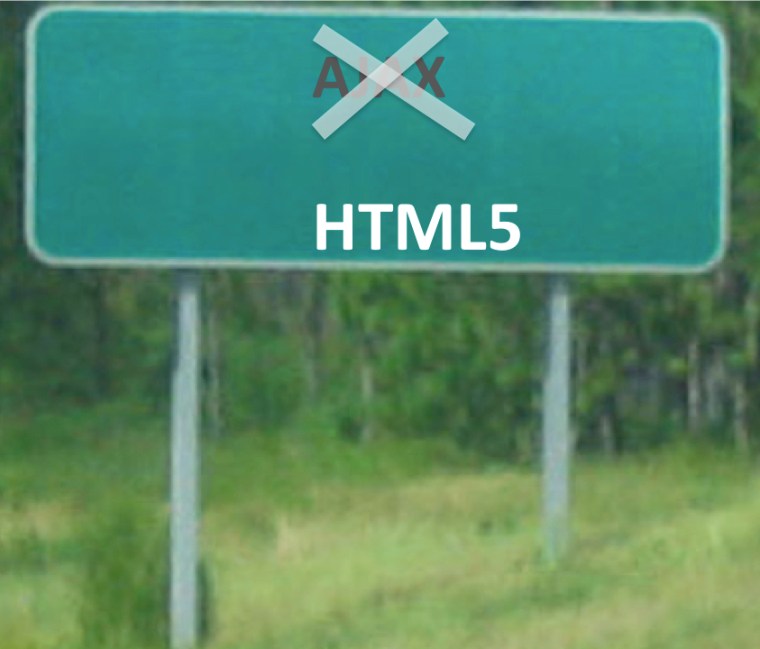
Well, it’s not exactly the same river. It was renamed. The authorities replaced the old road sign AJAX with HTML5, but let’s not get fooled. It was DHTML ten years ago, and it remains DHTML now: HTML, JavaScript, XMLHttpReuest object, and CSS. But the modern Web browsers employ faster JavaScript engines, CSS is a lot more flexible, smart phones come with dual core CPUs, the speed of WAN is faster too (ok, just a little bit).
More and more enterprises are adopting HTML5/JavaScript, but software architects and developers are still looking for the features available only in the VM-based clients. Will an XYZ JavaScript framework manage client state, support atomic transactions and provide server-side push? Will it offer declarative UI programming, flexible layouts, rich component library, good event model? How many extra kilobytes has to go over the wire to the client if you use this framework? Will the XYZ step up to MVC, modularity, and reliable communications? What are the requirements for the developers’ skills? Is the learning curve steep?
Sounds familiar, isn’t it? We had to solve these issues in the past, and we’ll do it again. Promise. After spending some time trying to pick THE JavaScript framework that can address all these demands of serious Web applications, I can report that you won’t be able to find THE framework. But the good news is that by combining more than one framework you’ll be able to create a well performing and reliable Web application.
Based on on the research conducted in the underground labs of Farata Systems, I can report that our JavaScript framework of choice is Ext JS by Sencha. This framework can serve as a solid foundation for any serious JavaScript development. We’ll also use a couple of more lighter frameworks on as needed basis.
I’m also happy to report that we’ve created an alpha version of our Clear Data Builder (CDB) tool that will offer automatic code generation for JavaScript/Java CRUD applications with transactional support and other goodies that will substantially increase the productivity of JavaScript developers. CDB won’t be an alternative, but rather a compliment to any JavaScript framework.
In a couple of months we’ll publish the first demo that will show an automated generation of a CRUD application using use Ext JS, CDB, MyBatis, and Java. Why MyBatis? Because we like writing SQL, but the demo that uses Hibernate will come shortly after. We already started a new consulting project to prove that we can eat our own dog food, and this food has a good taste.
Five years ago, when you called your credit card company or any other customer service you had a choice: either punch in your selections in the automated menu or hit the O-button to get to a live operator. Back then everyone hated those annoying automated menus. Little did they know what was going to happen in the future thanks to technological advances…
Today, most of the customer service departments use some voice recognition software, which supposed to collect all required information (e.g. your credit card info, address, the reason of call et al) before the live customer service representative would start talking to you. The goal is noble, but implementation sucks.
After spending 5 minutes repeating like a parrot the same answer several times, you may not be understood anyway. The old trick with keying in the O-button doesn’t work any longer and just pushes you back to this cold-blooded machine, which keeps asking you politely, “Did you mean to say…”
Finally, it understood what you wanted to talk about, validated your credit card number, spent another minute announcing your balance on the account, which you never asked for, and when you’re almost ready to throw your phone against the wall, a pleasant voice of a human being says, “Hello, this is Adriana. For security reason, could you please tell me your credit card number?”
WTF, didn’t I go through all this already talking to your stupid machine?
I’m sure, the CEO of these companies receive good looking reports stating that “our company was able to substantially minimize the time spent by our agents on the phone with customers, which allowed us to lay off 100 employees resulting in $5M of annual savings.” These reports don’t account for losing business because some customers just hated this type of phone experience and went to competitors that operated in an old fashioned way with live service representatives. Mediocrity an incompetence in enterprises disappoints. But there’s not much we can do about it other than learn how to live with it.
Disclaimer. Everything posted on this blog is my personal opinion and does not necessarily represent the views of my employer.
Part 1. Emotions.
Three days ago I’ve received the following email from an enterprise architect of one of our former clients (we’ve conducted two Flex training classes there):
“Adobe has been in the news lately with Flash not being developed for mobile devices and then the Flex SDK being donated to Apache. With all these things going on I was thinking if it still makes sense to develop using Adobe Flex for RIA applications. There are several opinions out there on the web but would like your take on the future of Flex and Flash. Is it still a safe bet to develop in Flash for RIA applications. Does HTML5+CSS+jQuery come close in terms of functionality that Flex offers? Please let me know.”
I’ve quoted this email because it described well what many of enterprise IT shops are talking about after Adobe simply decided to change their priorities. It started with that infamous blog of November 9th stating that Adobe didn’t care about Flash Player in mobile devices. But they didn’t stop there. Now they’re donating Flex framework as well as BlazeDS to Apache Software Foundation. Flash Catalyst was a mistake. It seems that Adobe decided that enterprise IT shops extinct. Apparently someone invited Adobe’s executives to a wild orgy, and the morning after one of Adobe leaders said, “How about changing our vision? I clearly see us in digital marketing and digital media! Enterprises are soooo boring, right hun?” Then Adobe went berserk.
Five years ago no one in the enterprise IT considered Adobe capable of anything but making nice tools for designers. They put tremendous effort into getting their foot in the door and be treated seriously by most (if not all) Fortune 100 companies. Back in 2006 enterprise developers didn’t want to hear about Flex framework. It changed. Very serious applications were developed and deployed into production using Adobe Flex and AIR as a front end tool. Will Adobe respect their existing support contracts with all these customers? For how long? Who’s going to provide such support if Adobe laying off hundreds of people second year in a row? As of today (Dec 14, 2011) Adobe didn’t care to make a clear statement about support of their enterprise customers.
Adobe’s executives keep silence. Santanu Narayen, the CEO was always the man of few words. But is Kevin Lynch, the CTO, in town? On Earth?
A couple of technical managers and evangelists are trying to fix the ugliness of the situation, but there is not much they can do. They can’t speak up for executives. Their words like “we’re absolutely committed to…” can’t be trusted anymore. These nice professional people are not being invited to decision-making orgies.
One of the very respected software engineers (a former Adobe employee) twitted, “Watching Adobe remove engines, wings, drop fuel, seats while in midair flight with customers aboard is truly fascinating.”
I see the situation similarly: today’s Adobe is a plane driven by pilots who lost control and are trying to press random buttons hoping to find the way home.
Part 2. Business.
Coming back to the original question, “Is it still a safe bet to develop in Flash for RIA applications?” This was the question of an enterprise architect of a mid-size IT shop, who’s not into politics and honestly tries to make the right technical decision.
The short answer is yes, you have nowhere else to go if you’re planning to deploy applications in production in 2012-2013. Flex is the best Web framework available today, and the fact that Adobe is donating it to Apache is better for everyone. The same applies to BlazeDS. As a matter of fact, Adobe stopped supporting BlazeDS two years ago, anyway.
I’m sure, under Apache Flex framework will go strong. My main concern is if Adobe will be willing to keep their future releases of Flash Player in sink with the future releases of Apache Flex?
What about HTML 5 (a.k.a. JavaScript)? At least for the next two years HTML5 should be used only by the early adopters. But we are in the enterprise development and have to deliver a number of cross-browser Web applications under limited budget and with a team of regular developers, not geeks. Six month ago I joined the project that was developed in Java/Swing by a team of 4 developers. There seniors left the firm. The person who left had 2 years of Java experience but was a quick learner. This week the new financial Flex/Java application developed by two of us goes to production. I’m trying to be fair to all technologies, but it wouldn’t be possible to pull something like this off with any JavaScript or Java front end framework.
If you are planning to go mobile, the most cost-effective platform is Adobe AIR. Can you afford to hire three teams with three sets of skills to develop for desktop, Android, and iOS? If you can’t, stick to AIR.
Part 3. Political stuff in the large enterprises.
Back in 2006, enterprise architecture groups of large enterprises were the main obstacles for making Adobe Flex an approved tool for development of the Web applications. Now, because of those drunk pilots, it’s their “Told’ya!” time.
They will try to squeeze Flex out of the list of approved tools arguing that Flash Player has too many patch releases, security holes, and, after all, the mankind moves to a no-plugin Web browsing. If I’d be running an application development team of Flex developers in a large enterprise, and an enterprise architect tried to to push me away from Flex toward an XYZ Javascript framework, I’d ask if the suggested XYZ framework would patch these security holes. Most likely, the answer would be “No, but at least we can set the Web browser’s security to the highest level for the JavaScript applications, which is not the case with Flash Player”. This can be a valid argument, and if Adobe cared, they could have created a special JavaScript wrapper for Flash Player to mimic security settings of the Web browser. It doesn’t take a rocket scientist to write such a wrapper, but since Adobe remains the owner of Flash Player, it has to be done by them.
Part 4. What to read next on the subject?
I like this post by Adam Flatter from Roundarch.
Part 5. Summary
1. Flex remains my first choice framework for developing RIA and AIR for developing desktop and mobile applications.
2. I’m also planning to go deep under the skin of one JavaScript framework, and it’s not jQuery. I like to have more than one tool in my toolbox.
3. Our company, Farata Systems will offer commercial technical support for Flex, AIR and BlazeDS both on the desktops and on tablets. We’ll make an official announcement about it shortly.
4. Our company continues offering training in Flex and Java as we always did, but next spring we’ll add a class “HTML5/JavaScript for Enterprise Developers”.
5. Under such management Adobe won’t last long and will have to be acquired by another company.
Happy New Year, everyone! It’s going to be fun.
This week I’m in Seattle, WA teaching Adobe Flex at the client site. Everyone in the classroom was given a password to the local Wi-Fi router. Everyone but one person successfully connected to the Internet. This unlucky guy was me.
In fact, my notebook was connected to the router, but that was as far as I could reach. OK, I was the only person using MacBook. Can this be a problem? Checked the network settings – everything looked hunky dory. I got a valid IP address. One of the students went to see Da Man – sysadmin, who gladly confirmed that my IP address has been blocked by the router’s software. Why? Yakov’s machine makes lots of connection requests to random IP addresses in a short period of time.
Students started to make fun of me – a minute ago I was explaining how to process financial data feeds from unoccupied Wall Street and students suggested that I must have been involved in a heavy-volume stock trading while teaching the class. I wish! Since May I’m working for another client sitting on a trader’s floor, where I had to sign an agreement that made trading impossible (insider’s information, you know).
Opening Activity Monitor on my machine didn’t show anything suspicious – the only running programs were MS PowerPoint, Acrobat Reader, Eclipse, and Skype. Another student suggested that it might be some virus or antivirus software installed on my machine. Wrong. Ain’t using Windows – me no need antivirus. Me no have viruses.
How to find out who makes all these network calls? Good old Charles network monitor came quite handy, as usual. I started this sniffer, and sure enough, every couple of seconds a connection attempt was being made to some IP addresses…
After shutting down Skype, the problem was solved. Skype was the bad guy trying to make all these connections! This makes me wondering, does Skype tries to poll each of my contacts who’s online? This must be the case. We reported my findings to the system admin, who unblock my IP, and the next second I saw Google!
The lesson learned: always have an HTTP sniffer with you if you ever want to see the light of Google’s home page.
A well known Adobe evangelist is forced to say good bye to his employer. He was notified about being fired while vacationing in Mexico. Should he be a pregnant woman, Adobe wouldn’t be allowed by law to fire him remotely…
Duane posted a blog about this important event in his life.
First, I wish all the best to Duane in his future career in both software development and music. Not the end of the world.
Being a professional, Duane posted a politically correct Thank you note for Adobe for being a great employer. But let’s re-read the reason for firing Duane: “Adobe is doing a major refocus and as part of that, many of us “enterprise” types are no longer required.”
Adobe is planning to turn its back on the enterprises… Back to selling Photoshop boxes (or subscriptions?).
Let’s see… Their heavy-weight and way overpriced enterprise product called LiveCycle didn’t make it.
They had a more useful server-side product called LiveCycle Data Services, which was seriously overpriced too. On multiple occasions I’ve been posting blogs and talking to Adobe’s employees asking to lower the price and stop killing this good product. But who am I to give advices to Adobe. The lead of the LCDS development team left the firm a couple of years ago.
Now Adobe’s claiming that they are into cloud. I have my reservations. You can’t just nuke one server-side product after another and then resurrect from ashes in the market where such 800-poung gorillas as Amazon, Google, and other big guys already feel at home. Who’s going to build your cloud if you’re firing best people?
I don’t like firing of Duane for yet another reason. It shows that Adobe doesn’t care about their best people. Is abandoning of the some enterprise solution product lines a reason for getting rid of good people? Don’t they think that Duane could have been re-trained to something else? I’m a partner in a rather small consulting company, but we’d never even think of firing our key developers when they are in between projects. We keep them busy while something else comes up. It’s so easy to destroy a team, but so difficult and expensive to find good people regardless of what technical skills are required. Even more so, finding an instructor who gets 4.96/5 is mission impossible. This is simply a proof that Adobe’s management lost their feel of reality, which is a pity.
The chances are very slim that I’ll be attending Adobe MAX next year. It’s a place where the top management of the company makes fools of 5000 attendees. This serious change in the company’s direction as well as laying off 750 people takes time to prepare. Adobe’s top management knew about it BEFORE MAX. And Kevin Lynch had guts to go on stage and not even mention serious changes in the company’s roadmap.
Being a part of the community Flash Player Platform expert group I’ve attended this special meeting (during MAX) where Adobe was asking for our feedback. No one in the room has mentioned that some drastic changes were being cooked.
Another one bites the dust…and another one…and another one…and another one bites the dust…
This morning ZD Net published an article stating the Adobe will cease development of Flash Player on Mobile in favor of packaging mobile applications in Adobe AIR.
The Flash Player haters quickly picked up this news and to draw attention to their blogs/tabloids started to cash on Steve Job’s name stating that he won the battle with Adobe since Steve was the one who didn’t let Flash Player on iOS.
As of now, I don’t know if these rumors are valid, but even if they are, this ain’t breaking news. Let me explain why in three simple sentences.
1. Adobe AIR includes Flash Player
2. Adobe AIR remains the main and the only means (at the time of this writing) for development of cross-platform mobile applications
3. Adobe AIR 3 Captive Runtime is a way of packaging the runtime inside the mobile application.
In other words, a mobile application developed in Adobe AIR and deployed in Android or iOS has inside the entire AIR runtime (this increases the size of the app only by 6-8MB) and won’t require neither iOS nor Android to ship the proper version of the runtime separately.
Once again, your mobile application has AIR inside, which, in turn, has Flash player under the hood. Machinarium is a good example of a console-quality game for iPad written in Adobe AIR.
The only question remains what will happen with Web pages that includes the videos requiring Flash Player. Most likely Web browsers will use HTML5-based video players. But let’s not confuse mobile applications and Web sites.
Anyway, no need to mourn. Have a wonderful day!
Update. The morning after
Next morning, Danny Winokur, Adobe’s VP and General Manager published a blog confirming the information from Adoleaks. This caused a storm of posts in the blogosphere, which predominantly blamed Adobe for betrayal. Peter Elst, an independent Flash developer even started gathering signatures to have Adobe CEO realize that he’s a bad guy and step down.
Our company, Farata Systems, has been working with Adobe’s product that were relying on Flash Player for more than five years, and we managed to build great relations with lots of corporate customers who used our services in building Flash-based rich Internet applications. After the announcement we started getting questions – was Flex the right choice? Can we reuse our investments in Flex in the mobile space? Should we abandon Flex and switched to HTML5 and JavaScript?
Adobe have caused serious damage to their image by having Mr. Winokur writing this infamous blog. I’m sure the top management of the company has approved it so Danny Winokur bears only a partial responsibility for this. My question is why Adobe decided to use one person’s blog for spreading this rather important news instead of publishing press release prepared with collaboration with their PR agency? Were their top executives ashamed to state it in a manly fashion?
Can you imagine the president of the USA making a war announcement by posting a blog? Adobe just did it. Professionally prepared press release could have include the proper wording along with the quotes of industry analysts who would offer their interpretation of the news. Have anyone seen an official PR on this subject? I didn’t.
I guess, after Adobe’s executives realized the size of the damage caused by that unfortunate blog (I hope Mr. Winokur is still employed with the firm), they asked other managers and technical evangelists to save the situation. Have a read:
1. Your Questions About Flex by Andrew Shorten & Deepa Subramaniam. Nice try, but these guys failed to deliver the main message: Adobe AIR 3 is a solid replacement of Flash Player for the mobile.
2. Adobe’s technical evangelist Lee Brimelow has mentioned AIR, but has deliver another wrong message, “No longer having to support the mobile browser version of Flash frees up valuable resources that we can redirect to these more important areas.” This is yet another mistake. Does Abobe put their customers first, or the most important goal is to do a reorg after laying off 750 people?
3. Mike Chambers, the lead product manager, speaks about AIR, but this message can be understood only by techies, and not corporate clients who were sitting on the fence trying to decide if they should develop with Flash or go with HTML 5. And we are talking about the corporate world that brings a huge portion of Adobe’s revenues.
4. Ben Forta, the Director of Technical Evangelism stated “For in-browser experiences on devices, browsers can finally do what they really should do, and we have HTML5 to thank for that.” Really? Who’s ready to start the development of their next cross-platform enterprise project using HTML5 and JavaScript? Does Adobe or any other company have any production-grade solution in this area? Would love to hear about such tools.
Why people didn’t realize that Steve Jobs was heavily promoting writing pixel-perfect applications for iOS-powered devices, not Web pages? Adobe AIR 3 fits this bill. And as I wrote earlier, replacing engines in the browser-embedded Flash videos with HTML-5 one is not a major undertaking. So what the mobile world as the result of this misinterpreted Adobe’s announcement? Nothing. MXML, ActionScript, Flex framework, and AIR 3 remain the tools of choice for cross-platform mobile applications.
When HTML5 can be considered as a main choice for development of applications for both mobile and desktop platforms? It may happen several years from now. It’s great that Adobe is working into this direction, but they should have done it in parallel, not by stopping development of Flash Player without offering HTML5 alternative.
Anyway, the damage is done. Adobe spent years to become a recognized tool maker for the enterprise developers. Five years ago they were known as a company that created Photoshop. They managed to change this image. I really hope that they will find a way to remain on this market.
Here’s my message to Flex, Flash, and AIR developers:
“All IT shops that have invested in learning Flex or ActionScript for developing their desktop-based Rich Internet Applications will use these skills in development of the mobile applications in Adobe AIR. There is no need to jump the ship”
Update 2. After publishing this update I’ve learned that Oliver Goldman, a tech lead from the AIR team has been moved to the team that develops creative cloud. It’s time for Adobe to give away AIR to open source too.
Update 3. Two weeks after the infamous blog of Danny Winokur was published, Adobe made a statement explaining its upcoming strategic transformations.
Last week, a person asked me for an advice about buying a new laptop. The most important thing when giving any advices is not just recommend what’s good for you, but rather put yourself in the shoes of the advisee and understand his/her computer usage patterns. Here’s the quick profile of this person, let’s call her Mary.
Mary is using the computer a lot, but she’s afraid of it. She’s retired and travels a lot. 80% of her activity is browsing Internet and using Yahoo! email. Once in a while she needs to scan document, use Microsoft Word and Excel. Currently she’s using a five years old notebook with Windows OS. Money is no object.

Each member of my family has Apple’s MacBook, and in my opinion it’s a better build device than any Windows-powered notebook. I went with Mary to the closest Apple store, and she purchased this feather light MacBook AIR with 13” monitor for $1299. Yes, she could have gotten a Windows notebook for half of this amount, but Mary deserves to not only having a computer, but enjoying it too.
The goal of this writeup is to create a short list of things that may seem unusual to a not proficient computer user switching from Windows to Mac OS.
The Dock.
This row of icons at the bottom of the screen is called “dock”. Clicking on the icon starts the corresponding program. You keep there only the programs you use the most. To remove unwanted program from the Doc, press the trackpad with two fingers at the same time (an equivalent of clicking on the right mouse button) and select an option “Remove from dock”. No worries, you are not deleting this program from your computer – this just removes the icon from the dock.
At first, you may have a hard time trying to properly press the trackpad with two fingers to open the right-mouse menu. The other way to do it is by pressing the trackpad with one finder while holding the control key.
If you know the name of any program that you’d like to start, but its icon is not shown on your dock, click on this little looking glass icon at the right top corner of your monitor (a.k.a. spotlight), and start entering the name of this program. A dropdown window will show the list of files where this combination was found. Click on the one from the Applications section to start this program.
When the program runs, you’ll see its icon on the right side of your dock. If you want to keep this program at your dock for the future, make another two-finger push on your trackpad and select “Keep on Dock”.
Quitting the program
The most important thing while learning how to drive a car is how to stop it. On the same note, you need to learn how to properly quit the program. In Windows, clicking on this little cross on the top right corner closes the window and quits the program. In MAC OS you’ll see three color bullets on the top left corner of the window, but clicking on the red bullet closes the window without quitting the program.
Do this experiment: start Safari Web browser from your dock by clicking on the icon that looks like compass. In the left corner of the top Safari’s toolbar you’ll see the word Safari, which is the name of your current program. Now open the Finder – its window will cover the one from Safari, and the Finder’s top toolbar is displayed. Finder is your current program. Now click on the red bullet in the top left corner of the Finder’s window to close it.
Now you can see the Web browser’s window, but the top bar on the screen still stars with the word Finder and has its menus. Isn’t it weird? The reason is that you just closed the Finder’s window but never quit the program. To do this, press the buttons command and a letter Q simultaneously. Q is for Quit, and now you see the screen that makes sense to you: Safari’s window is open and the top toolbar is also from Safari.
You can quit almost any current program (except Finder) by pressing the buttons command-Q. The other way to do this is by clicking on the name of the program on the top left corner and select the menu option Quit.
Don’t panic if you closed all windows from any program (Safari, Finder, et al. ) by mistake. If you see a top menu of the program but no windows opened, press command-N to open a new window.
Command is your Control
If in Windows you’ve been using the combinations of keys that included Control, get used to the fact that the button Command may become a replacement for Control. The button Control is still there, but if you run into a situation when it doesn’t behave as expected, try to use Command instead.
Finder: working with files
For working with files in Windows you use File Explorer. In Mac OS you use Finder, which is usually presented by the first icon on the left side of your dock. Get ready for a big surprise – there is no c: drive there. All files are simply organized in folders. After starting Finder, look at the bar with devices and places on the left. Desktop is a place with the files that are always shown as icons on your monitor.
Try not to copy too many files to the Desktop as it’ll clutter your monitor. There is another folder called Documents, which is an appropriate place for your documents. You may find a folder Downloads, which is the right place to keep all the files that you download from the Internet.
To create a new folder within a folder, open the parent folder by double-tapping on your trackpad – make sure you’re in the right place by checking the title of the Finder’s window – it shows the name of the folder you’re in. After that press the three buttons command-shift-N and this will create a new folder – just enter its name.
To copy files from one place to another, select the files, open the right-mouse menu, and select there the option Copy Items. Then open your destination folder, and select the option Paste Items from the right-mouse menu.
USB Flash Drives
One of the simplest ways to copy important stuff is by placing it on the USB Flash drive. Buy one of these that can store at least 8Gb of data. Besides, it becomes handy if you want to bring some important documents or photos from you old Windows computer. After inserting this flash drive into your USB port, notice the new name in the Devices section on the left side of you Finder’s window. In some cases your flash drive will have a name, in some cases it’ll just be shown under the title “No Name”.
Next to this name you’ll see a little underlined triangle. Each time you want to remove the flash drive from the USB slot – click on this triangle. This process is called Eject. Don’t expect the flash drive to catapult form your notebook – it’s just a safe way of unmourning an external device.
Preferences
Each program has its Preferences menu, where you can tune this program to look to your liking. The Preferences menu is usually located in the drop-down menu that opens up when you click on the name of your current program on the top left corner of the monitor.
Your dock also has the icon called System Preferences, which allows you to adjust the overall setting or configure devices. This is an equivalent of the Control Panel in the Microsoft Windows world.
Text editors and spreadsheets
MacBook comes with a simple text editor called TextEdit. You won’t find its icon at the dock, but go to the spotlight (top right corner of your monitor) and enter TextEdit there. Then start it, and if needed, keep it on the Dock as described above.
If you want more advanced text processing, you can either purchase Microsoft Office for Mac, or purchase the Apple’s program called Pages – it costs $20 and you can import all your Microsoft Word’s .doc files there. For another $20 you can get a program called Numbers, which may serve as a replacement for your Microsoft Excel.
The genius bar
One of the reasons of why Apple computers are so successful is their excellent technical support. First of all, they run introductory classes for the new MacBook converts.
If you run into any issue with your computer, make an appointment at your closest Apple store at so called Genius Bar. These guys are good and friendly, and most likely, after visiting the Apple store you’ll become a happy camper again.
What to read next?
Apple maintains a Web site for people who are just starting with Mac.
Enjoy your new Apple computer!



 yakovfain.com