Nontraditional Android Phones

Google gets creative. Apparently some Android devices may have nontraditional sexual orientation. They started selling T-Shirts where two happy male or female Androids are holding each other’s hand while waving the rainbow flag.

The next logical step is to clearly mark the sexual orientation on the packaging of the devices. So the AT&T customers could clearly request, say a black gay Nexus 10 tablet. Or you can simply walk into a Verizon store and say, “Could you please give me two lesbians: Samsung Galaxy 4 and Boost Mobile Galaxy Rush. Make sure they come with the verision 4.0 Ice Cream Sandwich.”

For many people smartphones become the best if not only friends. Even more so, most of the people sleep with smartphones or tablets. Buying a smartphone becomes an important event in the life of many people. Like getting a puppy. Or adopting a child. Luckily, it’s possible to find out Android’s sexual orientation in advance, if Google agrees to clearly mark their devices. In the end of the day we’re entitled to know who are we going to bed with, aren’t we?

Phishing for Dummies

Everyone knows what fishing means. It’s when a man tries to convince a fish that this fat warm had nothing better to do but diving ten feet into the river.

Phishing is somewhat similar. Someone assumes that you are as stupid as an average fish and believe that every incoming email is a legitimate one and will happily bite into it. If you don’t like my definition of the term Phishing, read what the Wikipedia has to say:

Phishing is the act of attempting to acquire information such as usernames, passwords, and credit card details (and sometimes, indirectly, money) by masquerading as a trustworthy entity in an electronic communication.

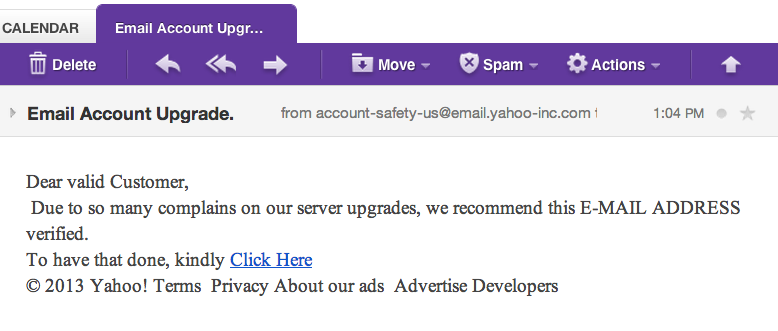
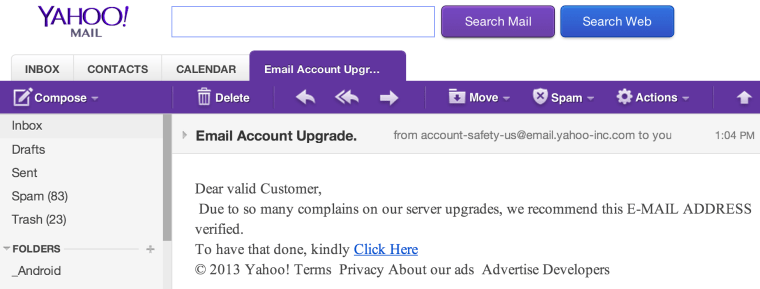
Now let’s consider a real world example. I just got this email in my Yahoo! account (this is a reason why I decided to write this blog):
phishing1

If I was a regular fish, I’d simply clicked on the “Click Here” link and obediently followed all further instructions. But I’m as smart as a dolphin and immediately figured out that someone was trying to trick me. Let’s give this email a closer look.

First, the email came from some weird URL – @email.yahoo-inc.com and not from yahoo.com.

Second, it has this gibberish at the bottom: “Terms Privacy About our ads Advertise Developers”. These words are not even links to the articles Terms, Privacy et al.

Third, Yahoo! knows my name, and would address me as “Dear Yakov”, but not “Dear valid Customer”.

Fourth, the text of the email starts with “Due to so many complains on our server upgrades”. What a BS! Even if Yahoo! had many complains about their server upgrades, their award winning legal team would find better wordings to turn negative into positive, like “Due to our continuous efforts to imrove our service we’ve recently upgraded our state of the art server farms…”

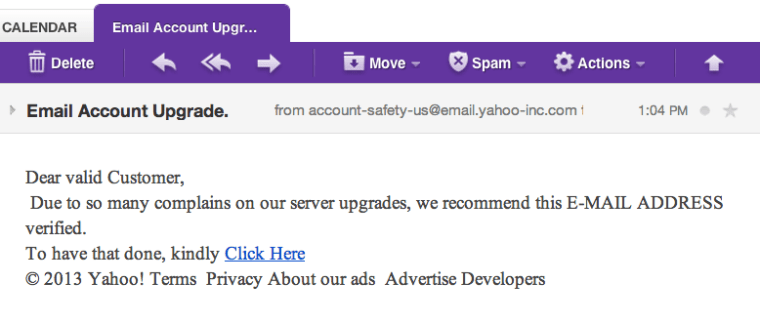
If you are still not convinced, take a look at the following snapshot of my desktop. I’ve hovered (not clicked!) the mouse pointer over the “Click Here” link and took the following screen snapshot. Looked at the content of the Browser’s status bar at the bottom – this is a URL of the Web page that would be opened should I clicked on that link.
phishing22

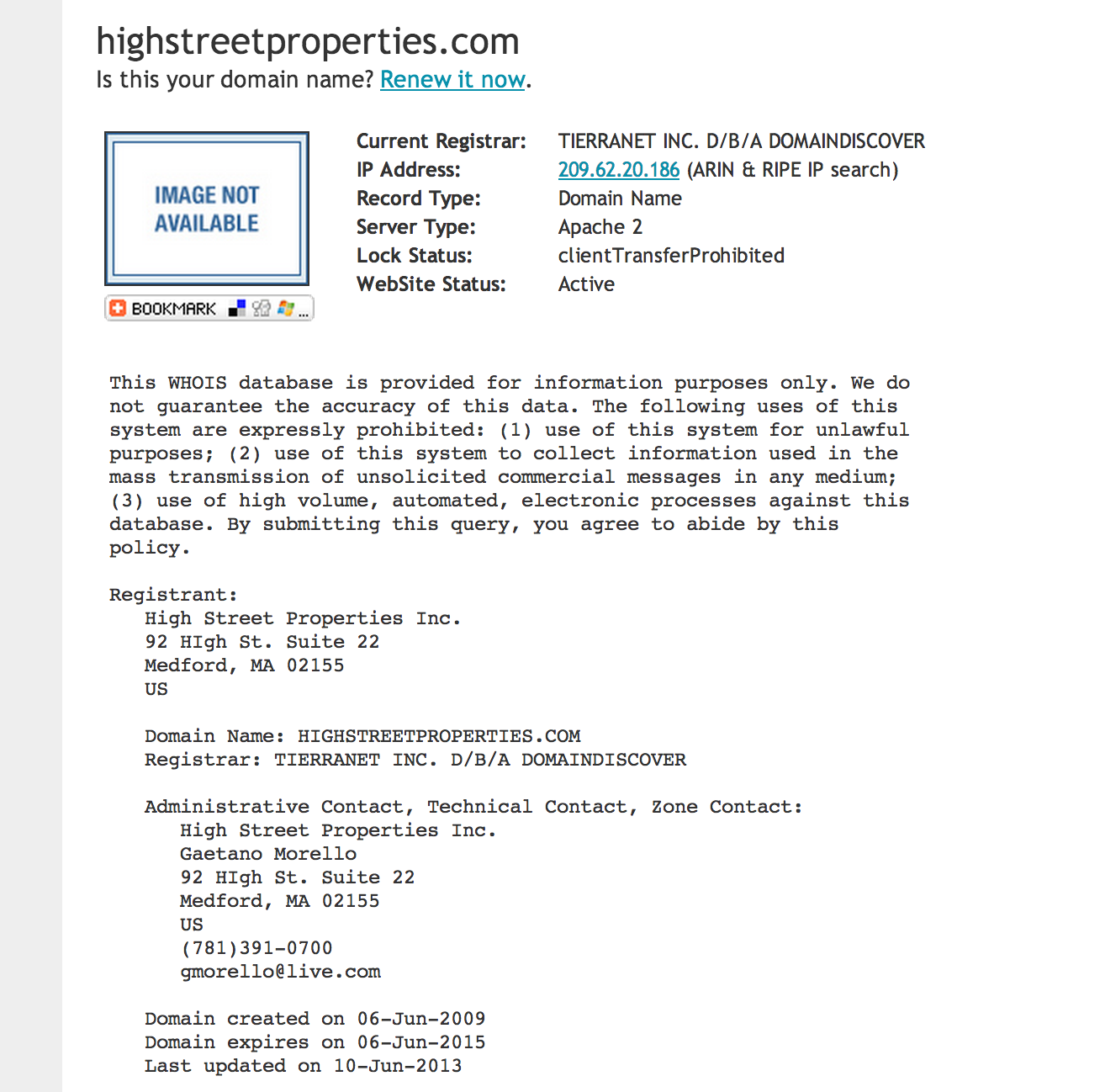
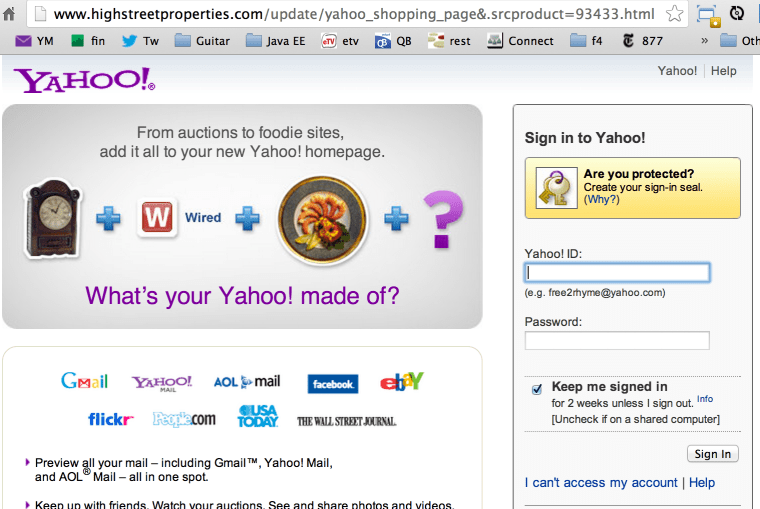
Now we know the name of the phisherman! It’s http://www.highstreetproperties.com. If you’ll just try to enter this URL in your browser, you’ll see the page that reads “Error establishing the database connection”. I’m sure you’re dying to know were the actual “Click Here” link would have taken me, right? OK, as a good Samaritan, I’ll do it for you. On the count of 3, I’ll click. One. Two. Three.
phishing3

Boooring… Now even a fish with an avarage IQ can figure out that after entering Yahoo! ID and password, this information will be sent to the phisherman’s database located at highstreetproperties.com. Then these low class people will use this info to get access to your Yahoo! contacts and send them email (from your name) offerring to purchase these really nice blue pills that make miracles happen!

If you’ll examine the source code of the page, you’ll see that that name of the script at the phisherman’s site is called process.php. But do you want to know more details about this phisherman? Just go to the Networksolutions.com and use their whois service: http://www.networksolutions.com/whois to see who registered the domain name highstreetproperties.com.
phishing4

I hope you’ve enjoyed my real-world explanation of the Web security term Phishing. For more technical introduction to Web security read this chapter from our upcoming book on Enterprise Web development.

Categories Web

Using Facebook? Don’t!

My son Dave showed me the episode from the South Park, season 14, titled “You have 0 friends“. This great episode resonates with my understanding of the virtual world, hence this blog.

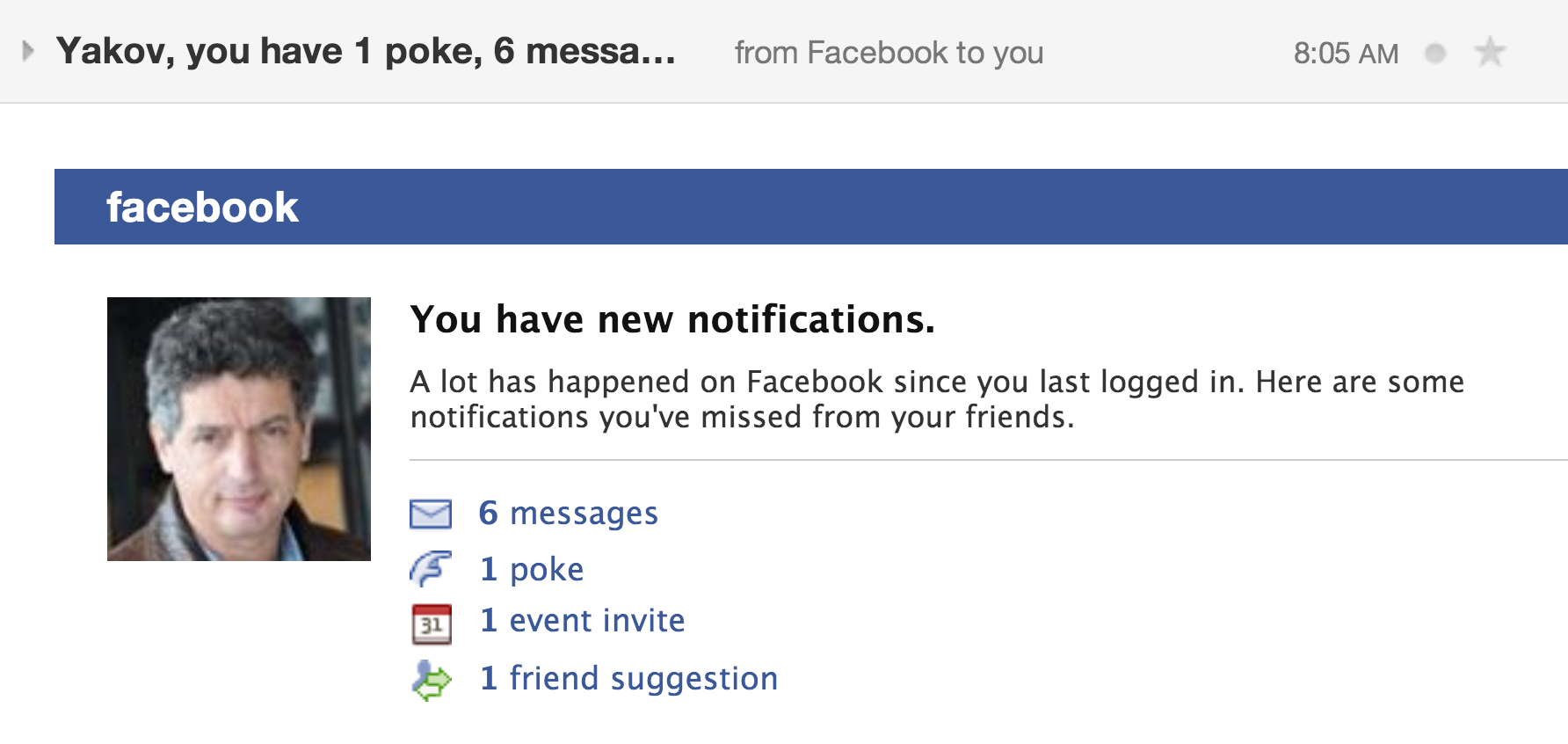
1. People who are using Facebook daily are doomed to lose their social skills. I mean, seriously.

fb1

2. People enjoying social networks are either already sick or getting there. On the surface it looks like social networks help lonely people to find someone to talk to. But people are more and more immersing into a virtual world and getting back to reality may become problematic, at least to some of them.

3. Young generation has troubles in communicating with people in the real world because of social networks. Yes, I’m an old fart, and you don’t need to remind me about it, but I’m actually meeting my friends face-to-face.

4. To me, the best momemt of this South Park episode is at about 8’10”. But what if he wouldn’t get a response? This would be a disaster (in a real world). Do you know what should you do after watching this episode? Watch it again. Recognized yourself? Sorry, but you’re on the road to join the world of people’s profiles… Good luck in getting back to the reality.

5. I’m not a social networks nazi. I have accounts on Twitter, Facebook, and LinkedIn. Twitter is for business. Facebook – I just don’t know how to cancel it. LinkedIn is for business.

twitter

6. Don’t trust me? Read this.

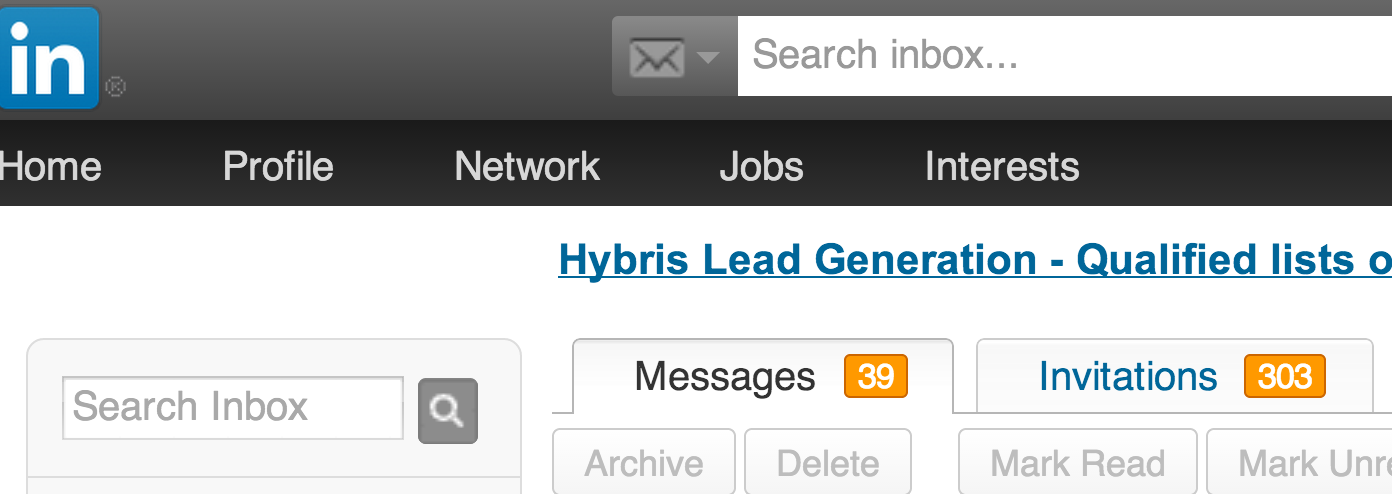
7. When I see that so-and-so wants to connect with me on LinkedIn I just ignore it unless I know this person.

linkedin

8. There is another very smart movie about the World War III (Facebook user may need to watch it twice to get it).

9. Enjoy this hashtag video with Justin Timberlake.

Close your Facebook account. Get real. Do you know how many friends you need in a real life? Just one.

Quick noise removal with Audacity

During JCrete conference, every session was recorded onto a small audio recorder that was standing in the middle of the room. Obviously, you can’t expect good sound quality when people are making all kinds of noises. Such recorders require a decent amount of post processing, which takes time, which no one has. Below are some simple steps describing how to lower the noise and amplify the audio level with a free program Audacity.

1. Download and install Audacity and LAME MP3 encoder.
2. Start Audacity and import your audio file using the menu File | Import.
3. You’ll see the graphics of the audio tracks.
4. Now you need to identify the noise to be filtered out from the audio. Several times hit the button on the toolbar that looks like the looking glass with the plus sign to zoom in.
5. Highlight a 2-3 seconds fragment with the noise only.
6. Select the menu Effects | Noise Removal and press the button “Get Noise Profile” so Audacity knows what to remove from the recording.
7. Click anywhere on the track to unhighlight the sound fragment.
8. Select the menu Effects | Noise Removal again, but this time just press the button OK. Audacity will start processing your audio removing the audio sample that matches your selection from step 6.
9. If there is still some noise GO TO step 5. If you don’t like the results of the second noise removal, select the menu Edit | Undo Noise Removal.
10. Amplify the sound level by selecting the menu Effects | Amplify. Enter a number (e.g. 5) and check off the box Allow Clipping.
11. If you want to remove unwanted noisy fragments, just highlight it and hit the button Delete on the keyboard.
12. Save the new version of MP3 by selecting the menu File | Export. Pick the mp3 format. Save it as a Joint Stereo and select the rate 32kbps, which is sufficient for the speach recording in a non-audio-friendly studio, and the file size won’t be too big.