Is HTML5 Web 3.0?

About six years ago I wrote a blog titled “I have no idea what  Web 2.0 means“.  That blog had link to a video where IT leaders were helplessly trying to explain what Web 2.0 means. One guy said something like this, “Everyone wants to do it, and you can’t find enough people to do it”.  I still believe Web 2.0 was nothing else but a catchy marketing term, which helped selling such events as Web 2.0 Expo, Web 2.0 Summit, and helped Forrester in selling their typical 7-page-for-1000-bucks-zero-info reports (this one was quietly removed).

The Web 2.0 term is fully milked out and the IT world needs something else for the next big thing. HTML5 perfectly fits the bill. Make no mistake, HTML 5 is not simply a standard of a markup language that will be finalized by 2022 – this would be a hard sell. HTML5 means a set of technologies, techniques, styling elements, APIs, and mainly, JavaScript frameworks that are available now and being used for the development of the today’s Web applications.  It’s like Web 3.0: “Everyone wants to do it, and you can’t find enough people to do it”.

Don’t fight the trend. Join the movement. If you are creating any framework or a product for the Web, ideally, stick the word HTML5 right into its title to help enterprise architects in justifying licensing this software. “See, it’s HTML5-compliant. Everybody does it.” If you can’t, make sure that your marketing brochures and white papers are heavily sprinkled with the HTML5 word.

Five years ago, someone told me that Web 3.0 would be about semantic Web. He was wrong. Web 3.0 is HTML5. The digit five in HTML5 means that this party will last for the next 5 years. Join the party!

P.S. If you didn’t know what HTML5 means before reading this blog and still have no clue, don’t get angry with me. I don’t know what it is either. Just tried to fantasize. Have you ever had Web fantasies? Me to.

A Masterpiece From Mozilla’s Documentation

While preparing the courseware for my upcoming JavaScript workshop I ran into the following definition in the Mozilla’s online documentation:

“callee is a property of the arguments object. It can be used to refer to the currently executing function inside the function body of that function.”

Love it! I’ll never be out of work, as long as technical writers keep creating such gems. Thank you, guys for putting bread on my table!

Generating Ext JS and Java CRUD Applications with CDB. Part 1.

Clear Data Builder for Ext JS (CDBExt) is an open source tool that automatically builds Ext JS/Java EE CRUD applications given one or more annotated Java interfaces. The generated JavaScript and Java code enforce best Ext JS and Java EE practices and is deployed on the development version of the Tomcat ready to run. A tiny library of Ext JS components accompanying CDBExt – Clear components – enables transactional data sync with the application server, including deeply nested hierarchical data transaction, features not supported in native Ext JS 4.

This short video opens a series of demos that will describe various modes of generating CRUD applications with the JavaScript clients enriched by the Ext JS framework from Sencha. At the time of this writing, CDBExt is in public beta and your suggestions are welcome. Please post your suggestions and findings at the Clear Data Builder’s forum at Sourceforge. You can also send us your feedback by filling out this form at our company’s site.

We’ve just started documenting CDBExt at the Clear Toolkit’s Wiki.

To add the CDBExt pluging to Exlipse for Java EE IDE, please select the menu Help | Install New Software, then press the button Add and enter the CDBExt in the Name field and http://www.cleartoolkit.com/downloads/plugins/extjs/cleardatabuilder/4.0/site.xml as Location.

In the next video I’ll show you how to quickly create a Web application using the Ext JS framework as a client and MyBatis framework for the data persistence. If you are not familiar with the HTML5 framework Ext JS, consider attending our 2-day workshop on the subject.

What not to Bring to an IT Conference

In May, I’m flying to Kiev, Ukraine to participate in a Java conference there and this won’t be the only conference I’ll be going to this year.  For software developers the ability to attend a major professional conference is a valuable perk given by their employers. OK, all expenses are approved and your air flight and hotel in Kiev, Paris, San Francisco, or New York City are booked.  It’s time to ask yourself, “Why you wanted to go to this conference to begin with?”
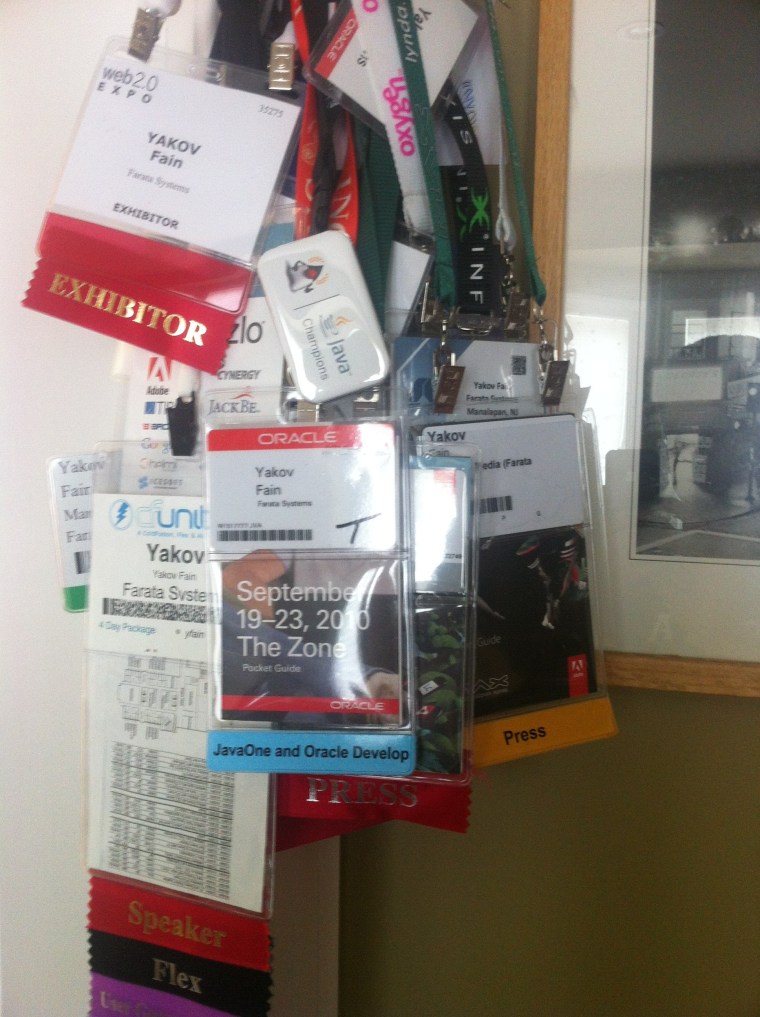
Changing daily routines can be a good reason in an of itself. But the main purpose is to sharpen your skills and meet new people, right? So what you shouldn’t bring with you to the conference?

1.    Leave your laptop computer in the hotel room. Don’t bring it to the conference venue unless you’re giving a presentation on this day. Computer is a major distraction in any conference. You’ll be spending a large portion of the day finding a wi-fi hot spot that will give you at least 56Kbps connection.  Internet connections are notoriously bad on any conferences, and this will make you irritated and upset.

Look at all these people sitting on the floor by the electric outlets. Their computers need juice. For what? For checking Facebook, tweeting, and browsing your work emails? Do this experiment for me. When you see such a floor person in a classroom, sit down next to him and ask in a low voice, “Excuse me, do you know what is this presentation about?” In the best case scenario, it’ll take him some time to remember what he’s “learning” in this session.

You may argue, “I’m using my computer to take notes.” Really? What’s wrong with a simple yellow paper notepad? It’s light to carry and doesn’t need power.  Do you really take such detailed notes that the power of word processors is required? I saw a person once who even used some mind mapping software for taking notes. Looks impressive, but I’m not sure if I wanted to check in the code to the same repository with such an over-organized person.

Better bring  a small camera with you and take a quick shot of the presentation slides you like. And no, it doesn’t have to be Nikon D90 – point and shoot will do.

2.    Leave your smartphone (a.k.a. sacred cow) in the hotel room too. “But what if someone will need to call me?”  Cut them lose. You’re not available. You are attending a conference, don’t they know? The world won’t stop without you. “But I could use my smartphone for taking pictures instead of bringing the camera, right?” No, No, and No. While carrying a camera will force you to pay more attention to what’s going on around you, the smartphone will do the opposite.

3.     Don’t let your spouse fly with you to SF, NYC, or wherever the conference takes place. “Honey, if I’ll go with you, we can save on the hotel and your airfare is paid by the employer too!”  And I say “No, no, no!”  You got to be partying with other geeks like you. Having your spouse nearby is a major destruction for networking with your peers. Having a spouse at a conference is even worse than carrying a smartphone on you. Don’t try to kill two birds with one stone. Take her to a romantic vacation after the conference. Let her arrive to this city on the day after the conference is over.

4.    Don’t bring your tux. In IT conferences, to be considered a geek, you have to dress as casual as possible (the clothes must be clean though).  Exposing your body covered with tattoos and piercing is the easiest way to be perceived as a guru especially, if this conference includes the creative people like Flash gamers and Web designers.

5.    And most importantly, don’t bring your ego with you. Who cares if you’ve published a book for dummies, three articles, and the plate on your office reads “Senior VP”?  Here you are just one of many people who devoted their lives to IT – enjoy the moment!

Google Must Hire Usability Experts

Teacher: “Mary, what do you think should happen in a Web browser when the user presses Ctrl-T?”

Mary: “It should open a new tab with either a blank page or your home page. Some browsers show most recently visited sites. In any case, it should be easily configured”.

Teacher: “Good girl! When I was as young, as you I also thought so.  I assumed that browser vendor thinks of the user first and would hire a usability expert budget permitting.”

Mary: “Are there still some poor vendors who can’t afford hiring usability experts? Are you talking about vendors from under-developed countries?”

Teacher: “No, I’m talking about Google. They are pretty good if the application’s UI consists of just one text field and a button. Anything more complex than this is overly complicated for them.”

Mary: “I thought they’re filthy rich and can hire anyone?”

Teacher: “Mary, they don’t give a damn about the end users. I was about to record a screencast and wanted to be able to open a tab with a blank page so the viewers wouldn’t see all my recently visited sites. Is this too much to ask of Chrome version 18.0?”

Mary: “No, teacher. It should be really easy – just go to Preferences and select some option to open a new tab with a blank page.”

Teacher: “There is no such option in Chrome. After spending 10 minutes searching for a solution I found one! You have to install and Add On called Blank New Tab.”

Mary: “Now I understand why my grandma doesn’t want to replace Internet Explorer with any other fancy shmancy browser. When I’ll grow up, I’ll become a usability expert and will help Google to create applications that will put the end users before the geeks.”

Teacher: “Mary, do you happen to have a link to the IE download handy?”

I Feel Bad

Yesterday, I made a trip to Manhattan on some family matters. While walking by the the Seaport in the lower Manhattan, I noticed a group of asian guys doing back massage to the tourists right on the street. I’m sure you saw these special chairs where you kinda sitting on your knees while they work on your back.  Before, I never trusted my precious body to unknown people unless they were licensed medical doctors or were working in SPA in luxury hotels.

But about a week I started feeling some pain in the lower back somewhere above the kidney. First, I thought it was a minor muscle  pain that should go away in a day or two. But it didn’t. Then I started to think that it might have been something more serios inside. So I decided to take my chances and give myself to the hand of this street masseuse who barely spoke any English. The deal was simple – $10 for 10 minutes or $20 for 20. I never saved on investing into myself and have chosen the more expensive version of this treatment.  My logic was simple – the chances that he’ll make my pain worse are slim. If the pain won’t go away, I’ll make an appointment with my family physician.

Twenty minutes later, the massage was over, I gave the guy $20 and left. Right after the massage it was not clear if it helped with my issue. But guess what, the day after I can confirm that the pain was gone! Now I feel bad. Why I didn’t tipped the guy?  It is bad. I’m not sure when I’m going to be there again – it’s about 50 miles from where I live. I can’t send a check to a guy that I saw on the street and don’t know anything about. That’s why I decided to write this blog.

If you happened to be in that area and need a massage, go for it. There are three men and a woman massaging people. Mine was a short guy wearing a blue shirt and earphones. The next time I’ll be tipping someone, I’ll double the tips too.

Sorry, man!

Identifying Design Patterns in Resumes

Just got an email from a person who calls himself a Senior Java Developer. Two out of five pages were devoted to  describing his skills. Below is an extract from the Skills section:

Java 2 (J2EE, J2SE) rich operational experience
JDBC 2.0. rich operational experience
EJB considerable operational experience
SQL rich operational experience
JSP rich operational experience
JSTL rich operational experience
Servlets rich operational experience
Struts rich operational experience 
GWT considerable operational experience
Spring framework rich operational experience

The list would go on and on. I didn’t even need to interview this candidate – it’s clear that he can’t be senior.  He already violated the Don’t Repeat Yourself (DRY) design pattern.  I can imagine what his code will look like…

What the Title “Senior Developer” Really Means

When I post a job opening for a Senior Java Developer, people send me resumes, and their titles match my post title. But the meaning of the word “senior” varies depending on the geography. Here in the USA a 22-24y.o. person graduates from college and starts as an intern or a junior programmer working his way up the career ladder. By his 28th birthday or so, a hard working person may qualify for the title Senior Developer.  Having said this, I realize that there are prodigies who became seniors in elementary schools, but they never send me their resumes anyway.

In the countries that supply offshore developers it works differently. The amount of outsourced job available in India or  Russia is overwhelming, and any IT agency is willing to take just about anyone who has a Skype account, can speak some English, and has a vague understanding of what his future IT profession is about.  If you are a freshman in college majoring in any engineering profession, you can easily find a job in IT company.  A typical Junior Java Developer or a QA Engineer is 18 there. Senior in college means senior in software developer in their world.

A 35 year old person is considered brain dead, and I read all the time discussions in Russian programmers forums suggesting opening businesses by the time you’re THAT OLD. A typical resume starts from the date of birth screaming, “See, I’m young!”

Interestingly enough, most of the 25 year old sincerely believe that they are seniors. No kidding. They’ve been around for a while in this overheated market. As expected, 80% of these seniors can’t pass a technical interview with me. But, of course, there are talented and hard working people there, and your main goal during the hiring process is to weed out the fake from authentic seniors. Take it very seriously,  and you’ll be able to create a team of talented people working remotely from overseas.

What Project Managers Can Learn From Airport Security

On average, I pass the airport security four times a month either on business or as a tourist. Over the years I became a living proof that Pavlov’s finding about conditioned reflexes were correct.
When I see an airport, I start pulling off my belt, taking off my shoes, and my hands are unzipping my laptop bag. Everyone knows that keeping the notebook in a separate tray while passing this X-Ray machine makes your flight safer. Nobody knows why though.

Last week, the New York Times published an article titled “The Mystery of the Flying Laptop”, where Matt Ritchel tried to find the reason WHY you have to pull the laptop from your bag, but tablets or smartphones can sit inside… in some airports. He was talking to different people from the Transportation Security Administration (a.k.a. TSA), but no one seemed to know the answer.

Finally, one security expert offered the following explanation: “…the laptop rule is about appearances, giving people a sense that something is being done to protect them. “Security theater,” he called it.” And this makes sense to me. On the same token, just seeing policemen on the streets may stop some criminals from trying bad things.

And what all this has to do with project management? It’s elementary, Watson! Some of the project managers trust their employees completely (and in many cases for good reasons), and don’t even bother checking on the status of their current assignments. Sometimes they get surprised that John, a great software developer, was working for three weeks on the assignment, got carried away and delivered not exactly what you’ve expected. Sure enough, John will fix this little issue – he just needs a couple of more days for this.
This could have been prevented if the manager would be checking on the status of the project every couple of days. “Management theater”, kind of. Not that the manager would have helped the experienced and trustworthy John in creating that software piece, but just the mere fact that “somebody cares and will ask about the status” may prevent John from moving sideways and will help in accomplishing the assignment in a timely fashion and to the specification.
So don’t underestimate this management theater. Talk to people who work for you regardless if they have an excellent track record in delivering great results in the past. Do it respectfully, but do it regularly.

Our aircraft has landed and pulled over to the gate a minute ago. I’m about to witness a demo another Pavlov Dog’s reflex – right after that beep sound everyone will stand up to open the overhead compartment… just to spend the next 5 minutes standing uncomfortably in a tight space between the bags instead of continuing sitting in their seats. There’s nothing you can do about it – reflexes rules!

A Life Saving Egg Hack

Sometimes I eat chicken eggs in the morning. I boil two eggs for six minutes. My wife is not too happy with the fact that I’m doing this in an old-fashioned way. Yes, I simply bring the water to the boiling point and then put there as many eggs as I want. But my wife has a dozen different kitchen devices, and one of them is specifically for boiling eggs. It looks like this:

The first problem with this device is that it comes with a plastic measuring container, which used to have these special marks for the right amount of water depending on the number of eggs you want to boil. These marks disappeared over time and you can’t me sure if you’re gonna get the soft or hard boiled eggs.This egg machine has another annoying thing – you have to make a hole with a special needle in the raw eggs. But the grandma’s method always works fine. I just need to remember one number – 6 minutes regardless of the number of eggs you’re boiling. No holes, no nothing.

Here’s my life saving egg hack (c).

After the eggs are cooked, I put them in a special egg-holder for large eggs. You may be surprised, but chicken continue producing eggs of different sizes, and if an egg is small, it slides down to the bottom of the egg holder screwing my entire breakfast experience. If this bothers you too, here’s the trick.

Important: you must eat the larger egg first. After you’re done with the first one, keep its shell inside the container, and put the smaller egg inside the used shell as shown in the photo below. Yep, it’s that simple.

If this blog has ignited your interest in eggs, I can recommend you this wikipedia article for further studying of the subject. Enjoy your eggs!