From Quill Pens to O’Reilly Publishing

 1812

Imagine I wanted to write a book about Web development in the year 1812. Which tools would I need? I’d need an ink, a quill pen, and a stack of paper. To make multiple copies of the book, a publisher would hire a bunch of people who’d use ink, quill pens, and a stack of paper. By the way, this nice image of a quill pen is taken from Wikipedia.

 2009

Quill pens are gone. My colleagues and I were writing another book for O’Reilly. The process was not as simple as in 1812: we used MS Word with the publisher’s template. When the draft of a chapter was ready I’d upload it to the publisher server and send an email to the editor. It’s not too bad is it?

 2012

First, we’re happy to say that O’Reilly Publishing has accepted our new book proposal “Enterprise Web Development: From Desktop to Mobile“. The book will have four authors and let me tell you how we are going to write it.

The chapters should be submitted into O’Reilly’s SVN code repository in XML-based markup called DocBook so the publisher can eventually convert the text into multiple formats for the multi-channel distribution.

Just had a meeting with my co-authors to decide on the work flow for the book writing. First, my hat off to O’Reilly for allowing use to make the manuscript available for everyone (as we add content) online for free. This is really cool – we’ll be building community around the book while writing it and, I’m sure, we’ll be getting lots of good feedback, which will definitely improve the quality of the final version of the book.

But let me explain you the work flow and the environment we’re planning to create and use for the book writing.

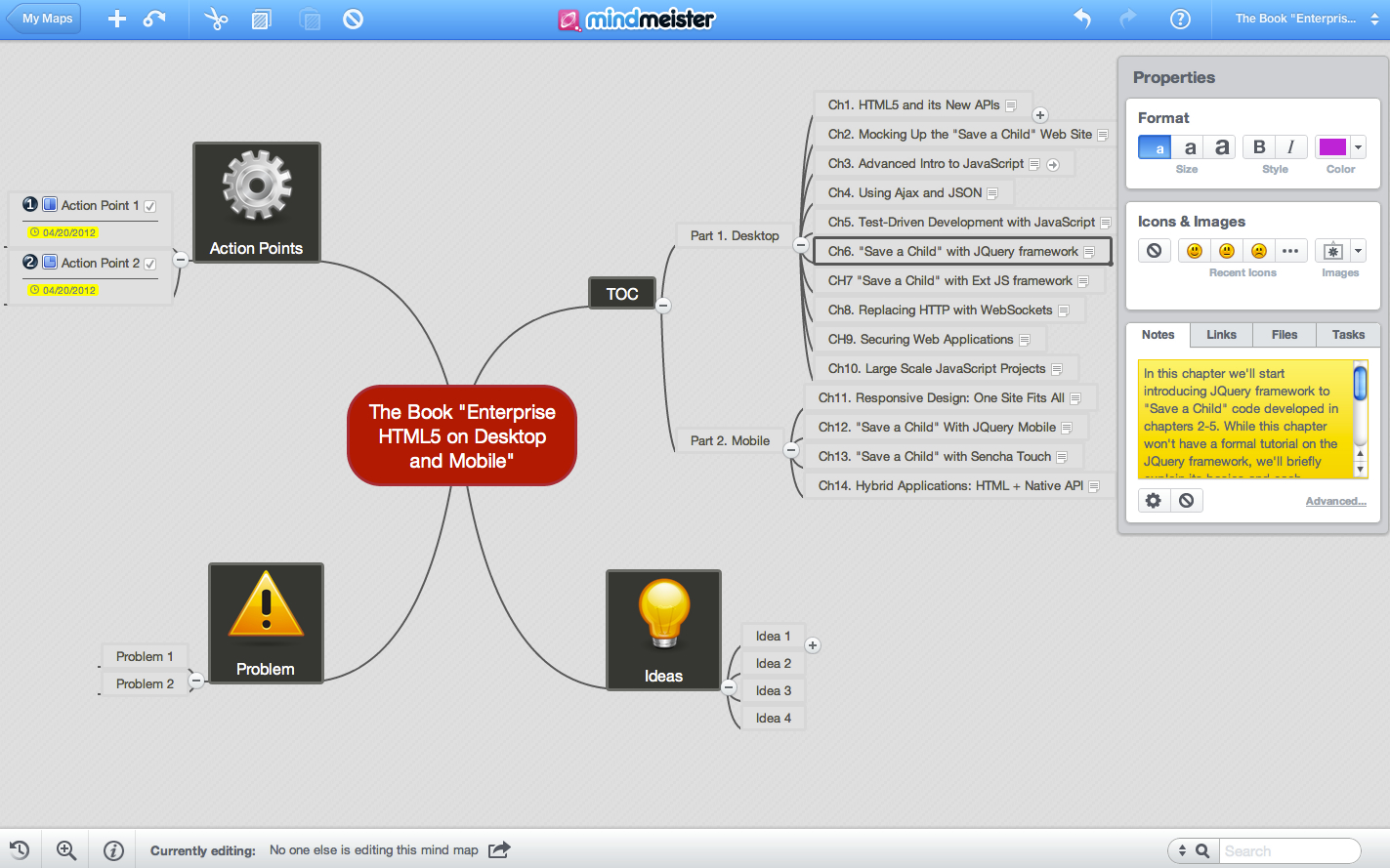
0. Create an account with a mind-mapping service (we use MindMeister ) so the co-authors can easily store and exchange the ideas related to this project.

1. Create a repository in Github where we’ll store all the book content – the text and the code samples.

2. Create a Web site on Github where people can read the book (under Creative Commons license) as HTML document.

3. The text editor of choice is Sublime Text 2, where we’ll write the text not in DocBook, but in a more simple to read format – John Gruber’s Markdown.

4. Write a shell script that will do the following:
a) Convert Markdown into DocBook using Pandoc
b) Submit Markdown to Github with an option for automatic conversion into
HTML and publishing it online.

5. Install and configure Jenkins Continuous Integration Server to run the items in Step 4 automatically

6. Make sure that Jenkins automatically submits the generated DocBook to O’Reilly’s Subversion server.

7. Create a small proof of concept to test all of the above and get the confirmation from O’Reilly that all this automatic generation-conversion-submission works and the resulting data format is acceptable.

Do you like this quill pen, circa 2012? We do and are looking forward to working with O’Reilly!

A Thousand Presentations Later

Many years ago I prepared my first PowerPoint slide deck and used it as visuals in front of a small audience. Over the last twenty years I made tons of presentations on IT related subjects. In this blog I’d like to share with you a dozen rules I use while preparing my slide decks or speak. Please add your comments with more tips to rookie presenters.

1. The font has to be as large as possible – not less than 18pt for the text and 12 points for code listing. If you can’t fit the entire code fragment on one slide, split it in two or create two code panels on the same slide.

2. Do not abuse effects and transitions like spinning, rolling, fading slides or texts. Using them once in while is fine, but keep the attention of your audience by the quality content and not by showing them how your slides dance on the screen.

3. Don’t use multi-color master slide themes. Here’s an example of the master slide I received from one conference organizers (they were really nice people). Add some content to it and the audience will get headache after spending an hour trying to weed our the content from the unneeded background.

4. Do not create presentations with 16×9 ratio unless you’re always using your own projector. Be prepared to present on the outdated projector provided by your host. Your presentation should look good on a 1024×768 projector with a 4×3 ratio.

5. If possible, keep the bottom 10% of the slide blank. People on the back may not see that portion if a basketball player is sitting on the first row, and the screen is hanging low.

6. Do not use constant screen zoom in/zoom out using these gestures on the trackpads – it makes people dizzy. Better increase the font size of whatever text you want to present.

7. The amount of text you put on each slide has to be minimal. Not as minimalistic as in Steve Jobs’ presentations, but having 3-4 short sentences on the slide is more than enough. Don’t just read the text from your slides – comment the slide content.

8. If you are planning to share your slides with the audience, upload the slide deck in a PDF form to your server or slideshare.net and include the URL on your first slide. 50% of the conference organizers’ promises to publish the slides never materialize.

9. How many slides you need, say for a 50-minute presentation? I need 25 – my empirical formula is 2 minutes per slide. This doesn’t include time spent on software demonstration, visiting external Web sites (Internet won’t work), or going through the program code.

10. Assume that the Internet won’t work at the venue . Pre-record video fragments of whatever you wanted to present live and use it as a Plan B (or is it Plan A?)

11. What if the projector doesn’t work? Five years ago I had this experience in a pretty large conference in New York City. I’ve been presenting for 40 minutes without any visuals other than my body language.

12. Can you still deliver the presentation if your slides got corrupted or your laptop got stolen? Sure you can if before starting your trip to the venue you’ve saved your powerpoint as a PDF file and uploaded it to a publicly available server. This way you can use any computer that has Acrobat Reader installed. Some people believe that it’s cool to make a no-slide presentation to a room full of software developers. They program live on stage. The audience seems to be happy too. How cool is that! Then the show is over. The magician is gone. What are all these people left with? Sweet memories.

Memory
All alone in the moonlight
I can smile at the old days I was beautiful then
I remember the time I knew what happiness was
Let the memory live again

Of course, experience matters. But the most impressive Powerpoint presentation I’ve seen till now was the one made by my younger son when he was a 9 year old kid. One night he just invited my wife and myself to his room, turned on the projector and started showing simple slides of him doing a good job in school and a picture of himself being bored at home spending evenings alone in his room. The final slide of this short preso was showing a newly released Game Boy console with a large font text “Please purchase it for mе. Don’t I deserve it?”

This was а perfectly made and delivered presentation that was concise, up to the point, and most importantly, it achieved the goal of the presenter.

96% Off

I just received this deal by email: 96% Off online forex trading course.

Not that I’m planning to take this course but it got me thinking.  There can be just two reasons for offering something at 4% of its price :

1. This thing was initially way overpriced and can be considered a scam. Do I want to deal with a scam company? No.

2. This thing was expensive to create, hence the list price was high, but people didn’t want to buy it. Now they want to get me on the hook offering it at a fraction of a cost to get me later on some hidden charges that I don’t know about. For example, after completing this course I will realize that unless I’ll purchase three more courses at full price the gained knowledge is pretty much useless.

The bottom line: don’t buy things just because they’re cheap. Buy them only if you really need them. There is not free lunch (still), and there is no such thing as a lunch that costs 4% of its real value either.

Ext JS Tutorial

Today’s JavaScript landscape consists of dozens if not hundreds of frameworks. Some of them serve as tiny additions to your Web page – they  implement just a certain design pattern. For example, if you need to implement declarative binding of your HTML elements and data models, use knockout.js. If you just want to check if certain HTML5 features are supported by the user’s Web browser add a small modernizr.js to your Web page.

But there are feature-complete frameworks that you can use a foundation of your entire Web application. Such framework include rich library of UI components, support MVC paradigm, offer their own layout managers, styling, effects, and may even have server side components. One of such large and multi-featured frameworks is Ext JS from Sencha.

It’s being used by many IT shops developing enterprise Web applications. In our company we also use Ext JS in some Web applications. We’ve also  added Ext JS code generation to our open source tool Clear Data Builder – it’s a useful tool for creating CRUD applications having Ext JS on the client side talk to Java on the server. We’ve also developed our own Ext JS training curriculum and teach it as two or three day workshop by request.

My colleague Victor has recorded a one hour screencast that can serve as a brief introduction to Ext JS. This presentation has been a part of our fifth annual symposium on enterprise software development. Enjoy the presentation!

Don’t Listen to Your Business Analyst

I’m a partner in two companies – an IT consultancy Farata Systems,  and SuranceBay – a 3 year old startup where we’re creating a software for insurance industry. Brian Morton, my partner at SuranceBay who knows everything about insurance wrote a blog delivering the message that Steve Jobs formulated in one sentence: let’s give our clients not what they want, but what they need. The wording may not be 100% accurate, but the message is.

When three years ago we created that startup our software engineers knew nothing about the insurance industry. Brian knew nothing about software. Actually this is not true. He knew how computers were used by the small insurance agencies. He knew intuitively that these processes could be improved, which he explained in a 200-page long business plan. We’ve created a partnership using a tiny initial amount of an investor’s capital, which was not even enough for the first year of operation.

Our business analyst Brian didn’t know about Optical Character Recognition, digital signatures, PDF forms inside Flash Player, what’s full text search, how to pull publicly available data about people,  how to lower the number of questions in a questionnaire from 40 to 10 while getting 40 answers, and what’s single sign-on. He didn’t know how to make it all  work together seamlessly in the state of the art process that is few steps ahead of anything people want to do. But Brian  unconditionally trusted our software expertise, and was ready to nuke any section from his business plan. Needless to say that we’ve trusted his understanding of the insurance business. 

Farata’s engineers  entered the world of small insurance agencies having years of experience working on large-scale enterprise applications. To our surprise, we found a monopoly in existence. A couple of big firms serviced hundreds of thousands of insurance agents using outdated technologies. Insurance agents didn’t see any better and assumed that this software was the only way to run business.

We’ve created our version of the software, which was not exactly what Brian was envisioning in the beginning, but our customers loved it. Need a proof? Today we serve about 300 agencies (50,000 agents) that pay for our services on the subscription basis. And we are growing.

I titled this blog “Don’t listen to your business analyst” not to offence Brian – he’s one of the key people at SuranceBay. I just want to stress that when there is an unconditional trust between the business and IT personnel, the results can be amazing.

Unfortunately, this model won’t work in larger enterprises where the project life cycle is overly regulated, and software developers operate under the false assumption that the product has to be done exactly to the specification provided by the business analyst and by the approved project plan, where only minor deviations are allowed. Pleasing the business users and meeting the deadlines are the ultimate goals there. Technologists seldom change the way users do business in large enterprises.

How did we managed to be where we are after the initial investor decided to stop financing this company two years ago? Farata Systems was making money doing IT consulting and part of the earning was investing into SuranceBay. Today, we’ve reached the point when we know how to multiply the streams of revenues, but we need a lot more money. Ready for the train station spiel like “My house burned down. Do you have a couple of dollars for the ticket to Philadelphia where my brother lives?”

Our house didn’t burn down, but we need a couple of mils to implement new functionality during the next two years. Last week we showed the spreadsheet with the numbers to a person who’ll be talking to potential investors tomorrow. But he warned us, that these investors will require complete transparency and well defined plans showing a substantial return on investment. This won’t work for us, sorry big guys.Several times over the last three years we’ve been drastically changing directions. This wouldn’t be possible if a big brother would be watching us.

I offered the guy who will try to find the money an elevator pitch: “Back in 2009 one angel gave SuranceBay a chunk of change and left. Three years later he came back expecting to see no money and no survivors either. But somehow, he found a bunch of hard working people and fifty thousand happy customers.” Transparency shmanparency…The chances are slim that my elevator pitch will work, but we will survive even though without extra cash we won’t be able to build everything we plan within two years. No biggies. Remember what Gloria Gaynor, the fearless leader of the startup movement sang?

At first, I was afraid, I was petrified
Kept thinking, I could never live without you by my side
But then I spent so many nights thinking, how you did me wrong
And I grew strong and I learned how to get along
I will survive, hey, hey!

Apple’s iMovie: Poor User Experience

Yesterday I had to record a 2-hour long webinar. The resulting .mov file was about 1Gb in size. Then I needed to cut out a 40-minute fragment from this movie and save it as a separate file. Doesn’t look like an overly complicated task, does it? Started iMac on my MacBook Pro, which is not a super powerful but decent machine: a quad-code Intel i7 CPU, 8Gb RAM, 100GB of free space on my HD, Snow Leopard MAC OS.

Take 1. Started iMovie, then menu File, New Project, Import. The process immediately grabbed all my system resources and After spending 30 minutes iMove’s little panel with a progress bar displayed a message stating that now it’s importing the next long movie I worked with in the past (a.k.a. event). This gave me goose bumps. Where is the close or cancel button? That little panel with the progress bar had none. The iMovie’s menu became unresponsive, but even if it was available, there was no cancel option on the menu. Googling for how to stop the import returned a suggestion that I knew without Google: Force Quit the program. Than you very much, Apple! So much for the great user experience.

What did I do wrong to trigger this multi-movie import process? Got it! Stupid me! In the Import menu I had to uncheck the option “Add to existing events”. Cool. Let’s do it again.

Take 2. This time, after enjoying the progress bar for about 25 minutes the iMovie showed me a message that I needed to free some disk space cause my HD was full. This can’t be true, I had 100GB of free disk space in the morning!

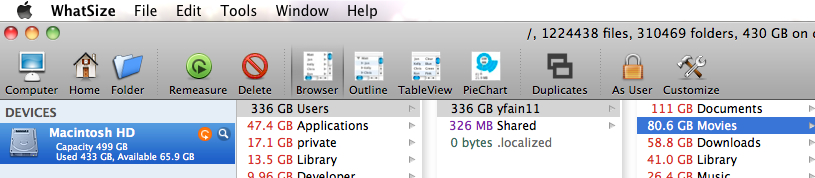
Sidebar. Last week I spent about $13 for a very nice little program called WhatSize. If you need to quickly find the largest files sitting on your hard drive – get this program. You’ll be surprised to find lots of junk files taking space on your disk. After killing iMovie it left 50Gb of junk on my disk. Apple, please pick after your dogs applications!

Image

OK, I cleaned up after Apple and deleted some other useless files. Now I got 120Gb of free space. Let’s try one more time.

Take 3. Importing the 1Gb file into iMovie as a new event. It started yet another thirty-minute import process. Since iMovie works in the mode “Occupy MacBook” I went to have a breakfast. Thirty minutes later I’m back getting ready to edit my movie. Oops…Here we go again. That little modal dialog window gives a new message – generating thumbnails for your movie. This process should have been completed in 40 minutes, which I didn’t have – my computer was almost dead, but I had to run a meeting. Force quit again. This time the iTunes has quietly stolen 55Gb of my hard disk.

This is probably the first time when I hate the user experience offered by an Apple program. Poor design and poor performance. If iMovie was created as a toy program intended to “Hi, Mom! This is my Webcam” kind of videos it should be marked as such. Can anyone recommend me a decent program that could take a 1Gb .mov file and let me cut it into smaller pieces without frustration?

Thanks in Advance.

Update. My thanks go to Boris Yurkevich, who  suggested to use QuickPlayer v.10. Selecting Edit | Trim allowed me to cut out and save a fragment of this 1Gb movie in less than 2 minutes!

Talking to Publisher About New Book

I’ve contacted a publisher regarding possible publication of our new book. We’ve been working with these publishers in the past and they seem to be interested, which means the publisher started asking certain questions to see if such a book will have a market value. This blog is our response to these questions.

The question was caused by the proposed book title: “Enterprise HTML5: Desktop and Mobile”. What the word enterprise means in this title and is this book about HTML5? The title of the book can be changed to “Enterprise Web Development. From Desktop to Mobile”. IMO, HTML5 became a buzzword meaning a lot more than HTML. This book is more about Web development than HTML. The targeted audience is intermediate developers and the knowledge of HTML basics is assumed.

This book is mostly about developing for desktop and mobile in JavaScript and related technologies. Many enterprise development managers are facing (or will be soon) the need to make their applications or Web sites available on the plethora of devices used for accessing Internet. They need some kind of a roadmap for going mobile. There are different approaches for doing this. One approach is to create separate teams developing native applications for popular operational environments (e.g. iOS, Android, etc.) This approach can produce good results as long as they can afford creating and maintaining several versions of the same application. Another approach is to create an HTML5 application, which is will use modern versions of HTML, JavaScript, and CSS. This approach has different flavors though. One is to have the same codebase for both mobile and desktop version (this approach is also known as Responsive Design). Another – have two versions of the HTML5 code – one for desktops and the other for mobile devices. If you go with the latter approach, the next question arises – which JavaScript framework to use that will allow reusing as much of the code as possible and to minimize the learning curve. This book will allow you to compare JQuery and Ext JS – popular JavaScript frameworks for desktop development, and their mobile versions: JQuery Mobile and Sencha Touch. Is this an intermediate to advanced book? Which other books will compete with this one?

So let’s profile the books that are currently available on the Web market.

Most of the available books on the HTML/JavaScript market can be divided by three categories:

1. Tutorials on HTML, JavaScript, CSS or particular JavaScript frameworks. For example, Larry Ullman’s “Modern JavaScript. Develop and Design” or “JavaScript 24-hour trainer” are good JavaScript tutorials.

2. Cookbooks or design patterns. These books show code fragments helping to accomplish certain isolated tasks. O’Reilly’s “HTML5 Cookbook” or “JavaScript Cookbook” are good representatives in this category.

3. Advanced books. These cover advanced topics of a programming language (e.g. “Secrets of the JavaScript Ninja” by John Resig) or explain a certain aspect of development, for example “High Performance JavaScript” by Nicholas Zakas.

These are definitely useful books. But our book won’t perfectly fit into any of these categories cause it’ll have a little bit of everything. We’ll structure the materials around designing, developing, and re-developing a sample Web site using HTML, JavaScript, CSS, and popular frameworks. While working on this Web site the reader will learn the language/tools and compare different approaches to cross-platform development. Of course, if you didn’t work with JavaScript before, a chapter on JavaScript will be quite useful for you. But it’s an advanced introduction to JavaScript – we assume that you know what the loops are about and won’t give you a coverage of all types of loops in JavaScript. If you know JavaScript already – just skip this chapter.

On the other hand, such advanced concepts as callbacks or closures deserve better coverage, so we’ll spend some time explaining them. While developing a mobile version of the sample Web site in jQuery Mobile (and then in Sencha Touch), we’ll explain a bare minimum of this framework – just so you can complete this Web application. We are also planning to compare these JavaScript frameworks and highlight the issues that will allow larger Web sites to be written in an efficient and modular fashion.

So we assume that a reader of our new book has some background in programming, but it won’t be overly complicated to be included in the category of advanced books. I’d say that we’d like to write a practical book that will cover the entire cycle of the Web application development using the modern tools and techniques. This book will be written by software engineers from Farata Systems all of which work on real world Web projects.

The TOC of the Book “Enterprise HTML5 on Desktop and Mobile”

I’ll be participating in writing a new book on the enterprise development with HTML5. At this point we have created only the first cut of mind map that includes a TOC with very brief description of the chapters.
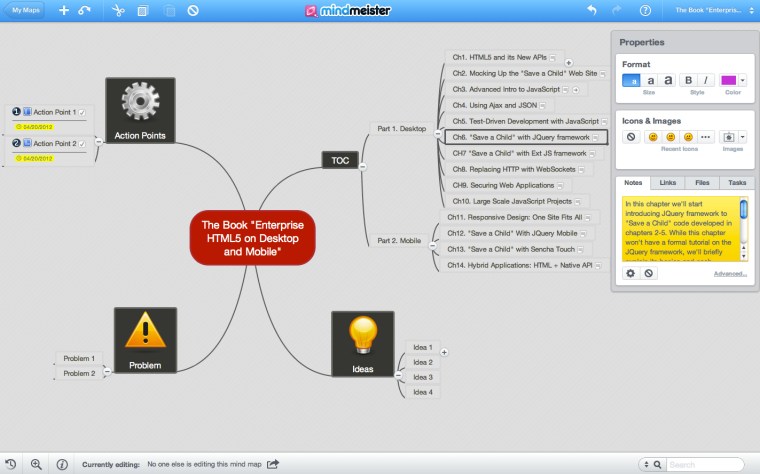
This is a work in progress and every bit of it may change. But the main idea is that we’re going to build a sample Web site Save a Child and will describe and comment on this process. Everything is a work in progress and subject to change. So far we haven’t submitted an official proposal to any book publisher yet, but we will. Below is the text as it was exported by MindMeister. Your feedback is greatly appreciated.

Part 1. Desktop

Ch1. HTML5 and its New APIs

Provide a brief overview of all APIs that are included in HTML5 spec (Web Storage, WebSQL, Web Sockets, Web Workers). List the browsers supporting HTML5. Is it safe to start an HTML5 project since not all Web browsers fully support HTML5?

Ch2. Mocking Up the “Save a Child” Web Site

Create a  mock up of the sample Web site Save a Child that supports donations to ill children. The Web site has to support videos, images and be integrated with some payments system. The mockup should include three versions of the UI: desktop, tablet, smart phone.
By the end of this chapter the HTML version of Save a Child is ready with hardcoded data.

Ch3. Advanced Intro to JavaScript

This chapter should cover the JavaScript language overview based on the “Advanced Intro to JavaScript” presentation: Objects, Functions, Closures, JS in the Web Browser. All examples should be re-written as building blocks for the “Save a Child” site. Coverage of the tools (IDE, Web inspectors and debuggers go here too).
By the end of this chapter we’ll have a new version of Save a Child, which includes some scripts in JavaScript. All the data are stored in a plain text format in local files.

Ch4. Using Ajax and JSON

After explaining the JSON data format we’ll deploy Save a Child under the remote Tomcat server on one of our servers. We’ll also provide the instructions on installing Tomcat on the local machine for those readers who want to do it.
Then goes the explanation of the AJAX way of retrieving data from the remote server without the need to refresh the entire page.
In the final version of the Web site the data feed will be organized by a Java program deployed under a Java EE server – we’ll use Oracle’s GlassFish 4.0 for being the leader in implementing all the latest Java EE specifications.

Ch5. Test-Driven Development with JavaScript

The chapter starts with a brief overview of available test frameworks. Then, it explains how to set up a new Save a Child  project in the IDE using selected test framework.

Ch6. “Save a Child” with JQuery framework

In this chapter we’ll start introducing JQuery framework to Save a Child code developed in chapters 2-5. While this chapter won’t have a formal tutorial on the JQuery framework, we’ll briefly explain its basics and each component that’ll be used in Save a Child.
By the end of this chapter the reader has a working version of Save a Child site built using HTML, JavaScript, CSS, JSon, Ajax, and JQuery framework.

CH7 “Save a Child” with Ext JS framework

In this chapter we’ll use some of the code from ch 2-5, but this time we’ll use the Sencha’s Ext JS framework.
The reader will learn the principles of building Web sites with Ext JS.
We’ll demo the use of our own open source generator Clear Data Builder that can generate the EXT JS code based on Java classes.
By the end of this chapter the reader will have working version of the Save a Child Web site. We’ll also compare the pros and cons of its Ext JS and JQuery’s versions.

Ch8. Replacing HTTP with WebSockets

This chapter will introduce the WebSocket API, which is a part of HTML5 spec. We’ll pick one of the data flow in Save a Child site and replace HTTP communication with WebSockets protocol.
Using the monitoring tool we’ll show the performance bandwidth usage benefits that WebSockets protocol brings to the Web.
This chapter will be based on this WebSockets presentation.

CH9. Securing Web Applications

This chapter will add authentication and authorization features for the users Save a child. They will be able to login to this Web site and perform different actions according to their role.

Ch10. Large Scale JavaScript Projects

The Save a Chile site is a rather small Web project. But in the enterprise world, lots of applications have a lot larger code base. In this chapter we’ll give an example of how to build modularized Web applications that can load the code on as needed basis. We’ll also give an example of how to organize the data exchange between different modules in a loosely coupled fashion.

Part 2. Mobile

Ch11. Responsive Design: One Site Fits All

The chapter starts with a brief overview of different approaches to making the Web site to the mobile space. One of the approaches is having only one Web site for all devices. This approach is is called Responsive Design, and we’ll modify the design of the Save a Child site to introduce different layouts for the desktop, tablet, and smartphone devices.
By the end of this chapter the site Save a Child will automatically change its layout based on the user’s device without the losing any functionality.

Ch12. “Save a Child” With JQuery Mobile

This chapter will demonstrate how to build the mobile version of Save a Child using JQuery Mobile framework.

Ch13. “Save a Child” with Sencha Touch

This chapter will demonstrate how to build the mobile version of Save a Child using the Sencha Touch framework.

Ch14. Hybrid Applications: HTML + Native API

This chapter explains how to add the bridge HTML and native mobile API with the Phone GAP framework. It’ll add the GPS service to the mobile version of “Save a Child”.

Proponents of the native mobile applications suggest that having direct access to all native api offered by a mobile device (camera, contacts, GPS et al.) is a must have. This chapter explains how to bridge HTML and native mobile API using the Phone GAP framework to have the best of both worlds. It’ll add the GPS service to the mobile version of the Save a Child application.

This chapter/book will end describing our vision of the most efficient way of making your existing Web application to thousands different mobile devices at a reasonable cost.

Java Basics for Flex Developers

Our company continues using Flex framework for development of our own product for insurance industry as well as for various consulting engagements. Being responsible for interviewing Flex developers, I see how the situation on the job market of Flex developers is quickly changing. If a year ago finding a senior Flex developer was mission impossible, during the last two weeks I’ve interviewed five applicants for the job, and three of them were seniors.

But all of their resumes have one thing in common – no or very little exposure to the server side technologies. I can foresee that more and more seasoned Flex developers will have to face the same problem: no Java means no job.

That’s why I decided to run an online presentation for the members of the NJ Flex Users Group. This rather long presentation has been recorded and is available as a screencast.

I’ve explained the Java basics comparing this language with ActionScript 3 everywhere I could. This presentation started with a quick HelloWorld in Eclipse, and then quickly progressed to abstract classes, generics, multi-threading and Java servlets. The more time a Flex developer spends with Java the better.

Advanced Introduction to JavaScript

Some software developers have an impression that JavaScript is a second-league interpreted language with the main purpose of making Web pages a little prettier. The reality is different though. JavaScript is a powerful, flexible, dynamically typed language that supports object-oriented programming. JavaScript functions are the first class citizen that can live their own lives as opposed to Java’s methods. HTML5 becomes a new buzzword, but 80% of development time on such projects is spent writing JavaScript code.This presentation is a super-intensive overview of the modern JavaScript programming language.


I’ve recorded this screencast for the Fifth Annual Farata Symposium on Software Development.

Readers of my blog who want to enroll into my 6-session hands-on online course on JavaScript should use the promotional code yakov.js to get 30% off the tuition.